
How to calculate solar load before choosing an inverter or battery
List the appliances first. A simple load schedule shows how much energy they use, what may run together and what must stay on during an outage.
“What size inverter and battery do I need?” sounds like a sensible first question. It is usually too early. A five-bedroom house can use less electricity than a small shop with two display refrigerators. Two families in similar homes may also want completely different things during a blackout.
The useful starting point is a load list: the appliances, their real power, how long they run, which ones overlap and which ones matter when the grid is down. Our free solar load calculator turns that list into daily energy, running peak power, an estimated starting peak and a separate critical-backup scenario.
The result gives the homeowner, installer and equipment supplier a shared planning document. They can discuss real numbers instead of trying to size a solar array, inverter or battery from a vague request.
What does a solar load calculator tell you?
A load calculator looks at electricity from the appliance side. It starts with what will be used, then shows several different views of the same list. This matters because energy and power are easy to mix up.
Energy is the amount used over time. The calculator reports it in kilowatt-hours, or kWh. Power is what the appliances ask for at a particular moment. That appears in kilowatts, or kW. A laptop running all day may use more energy than a kettle used for five minutes, even though the kettle demands much more power while it is on.
The tool also separates ordinary use from a blackout plan. You may normally use every room, several kitchen appliances and an air conditioner. During an outage, you might keep only the refrigerator, Wi-Fi, a fan and a few lights. Entering those as a separate critical-load group gives a much clearer backup conversation.
- Calculator result
- Daily energy (kWh/day)
- The plain-language question it answers
- How much electricity does this list use in a day?
- Why it matters
- It helps describe the energy that solar generation or stored energy may need to cover.
- Calculator result
- Running peak (kW)
- The plain-language question it answers
- What may be switched on at the same time?
- Why it matters
- It gives a first view of continuous inverter demand.
- Calculator result
- Estimated starting peak (kW)
- The plain-language question it answers
- What happens when a refrigerator, pump or other motor starts?
- Why it matters
- A system can run a motor after startup and still trip during the first moment.
- Calculator result
- Night energy (kWh/day)
- The plain-language question it answers
- How much of the entered use happens after solar hours?
- Why it matters
- It helps explain why two homes with the same daily total can have different battery needs.
- Calculator result
- Critical backup demand
- The plain-language question it answers
- What must keep running, and for how long?
- Why it matters
- It separates essential service from normal whole-building use.
| Calculator result | The plain-language question it answers | Why it matters |
|---|---|---|
| Daily energy (kWh/day) | How much electricity does this list use in a day? | It helps describe the energy that solar generation or stored energy may need to cover. |
| Running peak (kW) | What may be switched on at the same time? | It gives a first view of continuous inverter demand. |
| Estimated starting peak (kW) | What happens when a refrigerator, pump or other motor starts? | A system can run a motor after startup and still trip during the first moment. |
| Night energy (kWh/day) | How much of the entered use happens after solar hours? | It helps explain why two homes with the same daily total can have different battery needs. |
| Critical backup demand | What must keep running, and for how long? | It separates essential service from normal whole-building use. |
These are load-side figures. Equipment losses, battery reserve, solar production and product limits are added later during system review.
Why adding every appliance wattage gives a poor answer
A quick spreadsheet often assumes that everything runs at full power for the same number of hours. Real homes and shops do not behave that way. A refrigerator cycles. A fan may run all night. A microwave uses a lot of power for a short time. Six lights add together, while a water pump may run for only a few minutes and still create the hardest start.
Timing changes the result. Daily kWh depends on power, quantity, operating hours, days per week and the share of time the appliance is actually active. Peak power depends on the group that may run together. The highest believable combination is more useful than adding every nameplate in the building.
The electricity bill helps, but it cannot replace the appliance list. A monthly kWh figure shows energy over a billing period. It does not show whether the home reached a 1kW or 8kW peak, which appliance created that peak, or what the owner wants during an outage. The calculator lets you enter bill-period energy as a cross-check. If the modeled list covers only half of the bill average, something is probably missing or an operating assumption is too low.
Starting power deserves its own line. The calculator adds the largest entered starting-power increment to the selected simultaneous running load. It does not stack every motor start on top of every other motor start. If a real site can start several motors together, that operating case needs to be reviewed separately.
How to use the calculator without getting buried in numbers
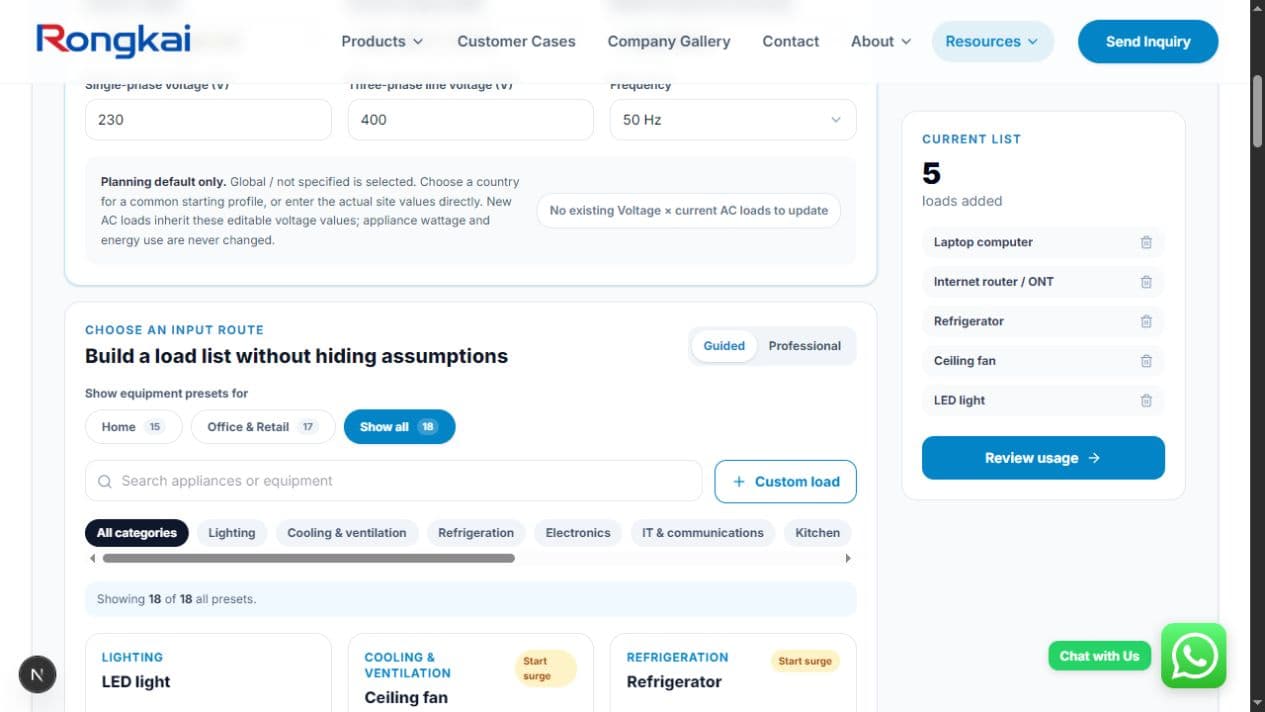
Begin with the Guided mode if you are planning for a home, home office or small shop. Search the preset list and add the equipment you recognise. The presets provide editable planning values for common items such as LED lights, fans, refrigerators, routers, laptops, pumps, air conditioners, CCTV and retail equipment. They are a quick way to build the list, not verified data for your appliance.
Use Professional mode when you already have project information. It accepts W or kW directly, DC voltage and current, single-phase data, three-phase data and energy-only entries. This route is useful for commercial equipment, but the result is only as good as the values entered.
Country selection fills in common voltage, phase and frequency starting values. Every field stays editable. The country name does not apply local electrical rules, approve equipment or change the wattage of an appliance.
- 1
1. Add the loads
Use a preset or create a custom row. Replace the suggested watts with the nameplate, current datasheet or measured value when available.
- 2
2. Review how each item is used
Enter quantity, hours, weekly schedule and duty cycle. Mark what can run together and add known starting power for motors or compressors.
- 3
3. Build the outage list
Mark only the loads that must remain available, then enter the required backup hours and a realistic backup duty cycle.
- 4
4. Read and check the results
Review energy, normal peak, starting peak, backup demand, largest loads and data-quality warnings. Compare the model with bill data if you have it.
How to read the results: a small household example
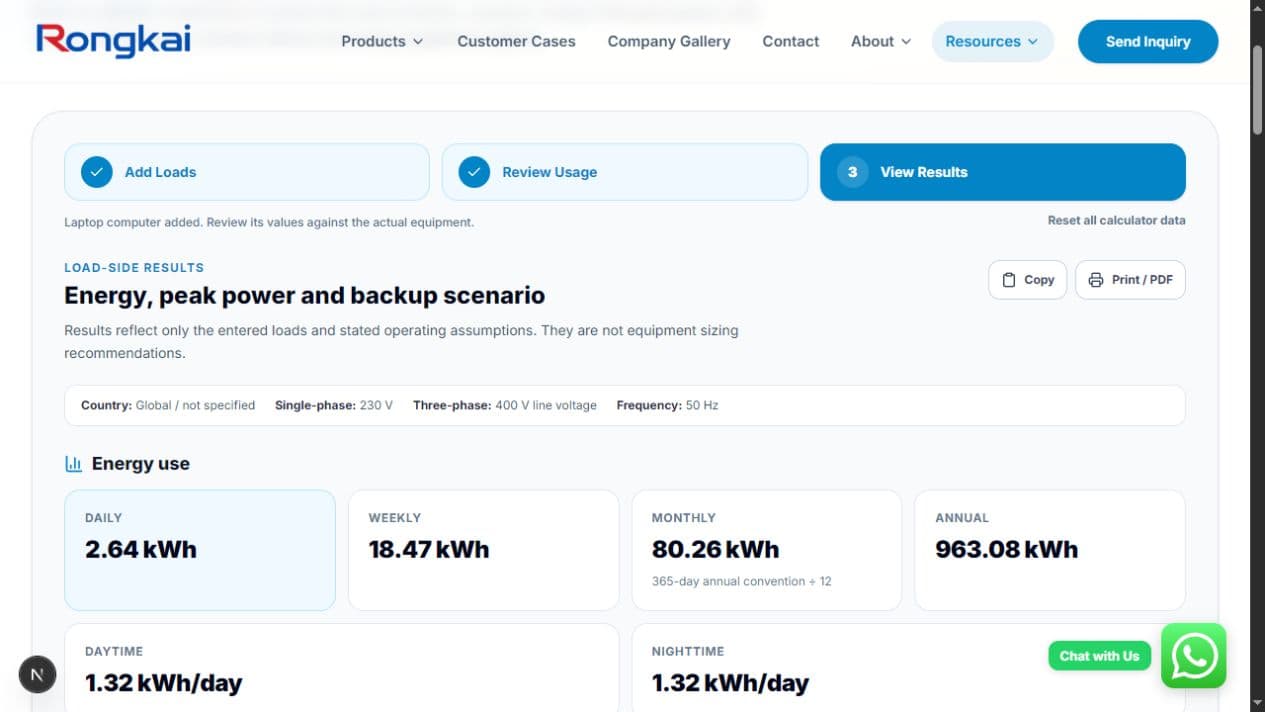
The screenshots in this article use an illustrative list of five preset loads: six LED lights, one ceiling fan, one refrigerator, one internet router and one laptop. The preset hours and power values are left in place so the example can show the workflow. They are not presented as an average home or as verified appliance data.
That example produces 2.64kWh of modeled energy per day. The selected simultaneous loads total 0.35kW, and the largest entered start increment lifts the estimated starting peak to 0.80kW. The refrigerator is the largest modeled daily energy user in this particular list. Change the refrigerator, hours or duty cycle and the result changes immediately.
The critical-backup result is much smaller because only the six lights are marked for four hours in the screenshot. It shows 0.24kWh of load-side backup energy and 0.06kW running power. That is not a battery recommendation. A real battery decision still needs usable capacity, inverter loss, reserve, temperature, ageing and the exact product limits.
The data-quality panel is worth reading before the headline numbers. In the example, all five rows still use preset estimates and none has been replaced by a nameplate or measured value. The calculator says so plainly. A neat total built from rough inputs is still a rough total.
When the list is ready, the result can be copied or printed as a PDF. The Prepare an RFQ button carries the text summary into the inquiry route. Nothing is sent automatically. The working draft stays in the user's browser unless the user chooses to continue with an inquiry.
What problem does the calculator solve—and where should it stop?
The tool makes early conversations less wasteful. A supplier no longer has to guess what “home backup” means. A homeowner can see why a large battery does not fix an inverter that cannot start a pump. A shop owner can separate daytime refrigeration from the equipment that must survive an evening outage. Two quotations can be compared against the same load list.
It also exposes missing information. Preset values are counted separately from nameplate or measured inputs. Loads with a possible start but no entered starting value are flagged. Energy-only rows without a running-power value are visible. These warnings keep an attractive total from looking more certain than the evidence behind it.
The calculation stops at the load side. Battery depth of discharge, conversion losses, design reserve, temperature, aging, local solar yield, DC-to-AC ratio, MPPT limits, wiring, protection and local electrical requirements belong in the later system review. The calculator result should travel into that review rather than becoming a product order by itself.
- Replace preset watts with the current appliance nameplate, datasheet or a suitable measured value.
- Check the quantity and realistic operating hours instead of using the default without review.
- Mark only loads that can genuinely overlap when calculating the running peak.
- Enter starting information for refrigerators, pumps, compressors and other motor loads when it is available.
- Keep the blackout list shorter than the normal-use list unless the project truly requires broader backup.
- Use bill or meter data to look for missing energy, then keep equipment sizing as a separate reviewed step.
Can the solar load calculator tell me what inverter size I need?
It provides load-side running and estimated starting power. Those figures are useful inputs, but the final inverter choice also depends on operating mode, surge duration, temperature, voltage, phase, battery capability, product limits and the responsible system design.
Can I calculate battery backup from my electricity bill?
A bill gives energy over time, but it does not identify the critical appliances, peak power or starting demand. Use the bill to check the appliance model, then build a separate outage list with the loads and hours that matter.
Should I use the suggested appliance wattage?
Use it to begin the list, then replace it whenever reliable equipment data is available. This is especially important for air conditioners, refrigeration, pumps, heating equipment and commercial machinery.
Is the calculator useful for a shop or small business?
Yes. Guided presets cover common office and retail loads, while Professional mode can use DC, single-phase or three-phase electrical inputs. Commercial equipment and overlapping motor starts still need project-specific information.
Related Articles
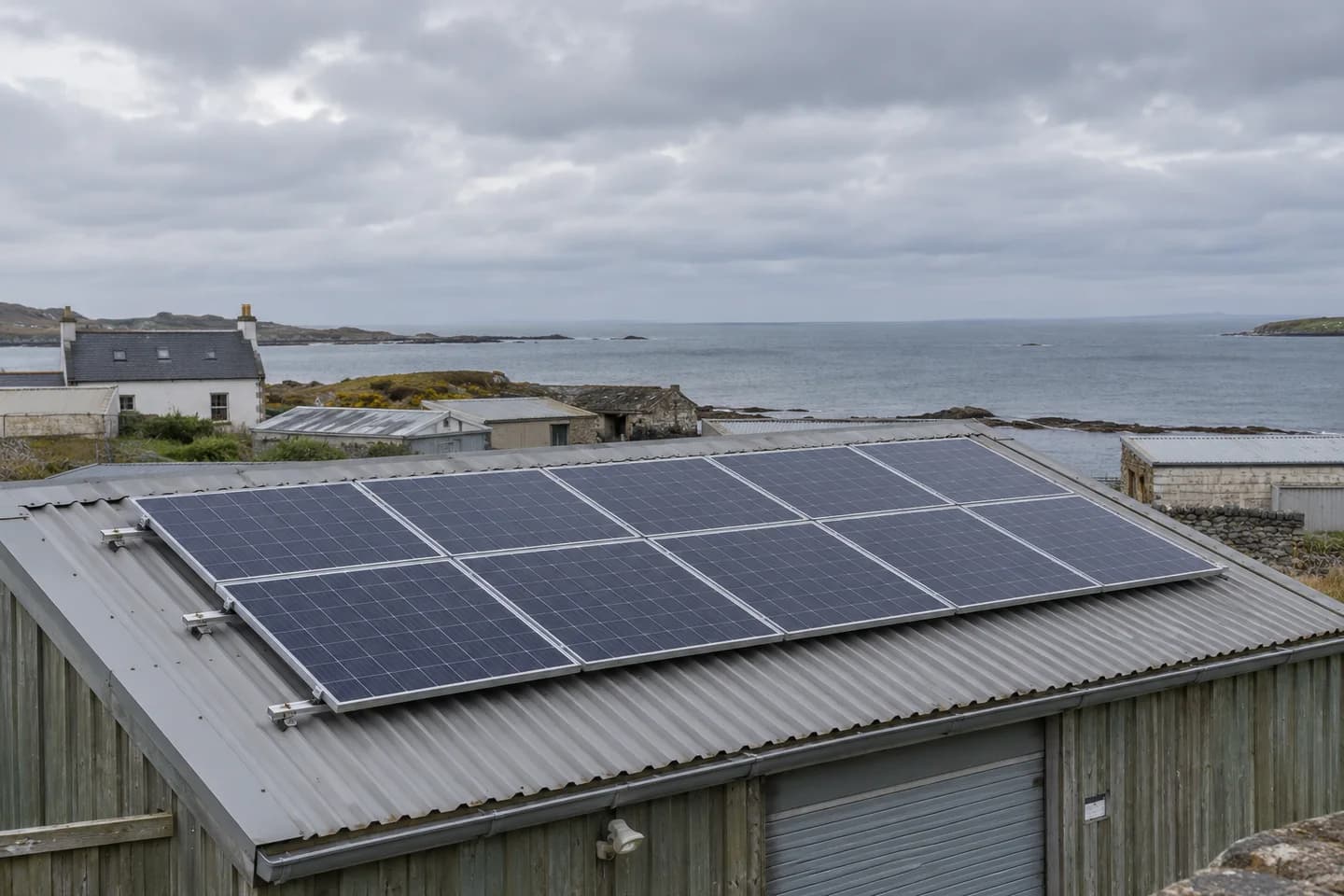
How do solar panels perform in clouds, heat, salt air and dust?
A panel's watt rating cannot describe every site. Learn what changes in cloudy, hot, coastal and dusty locations, and which details belong in a supply quote.
Read Article→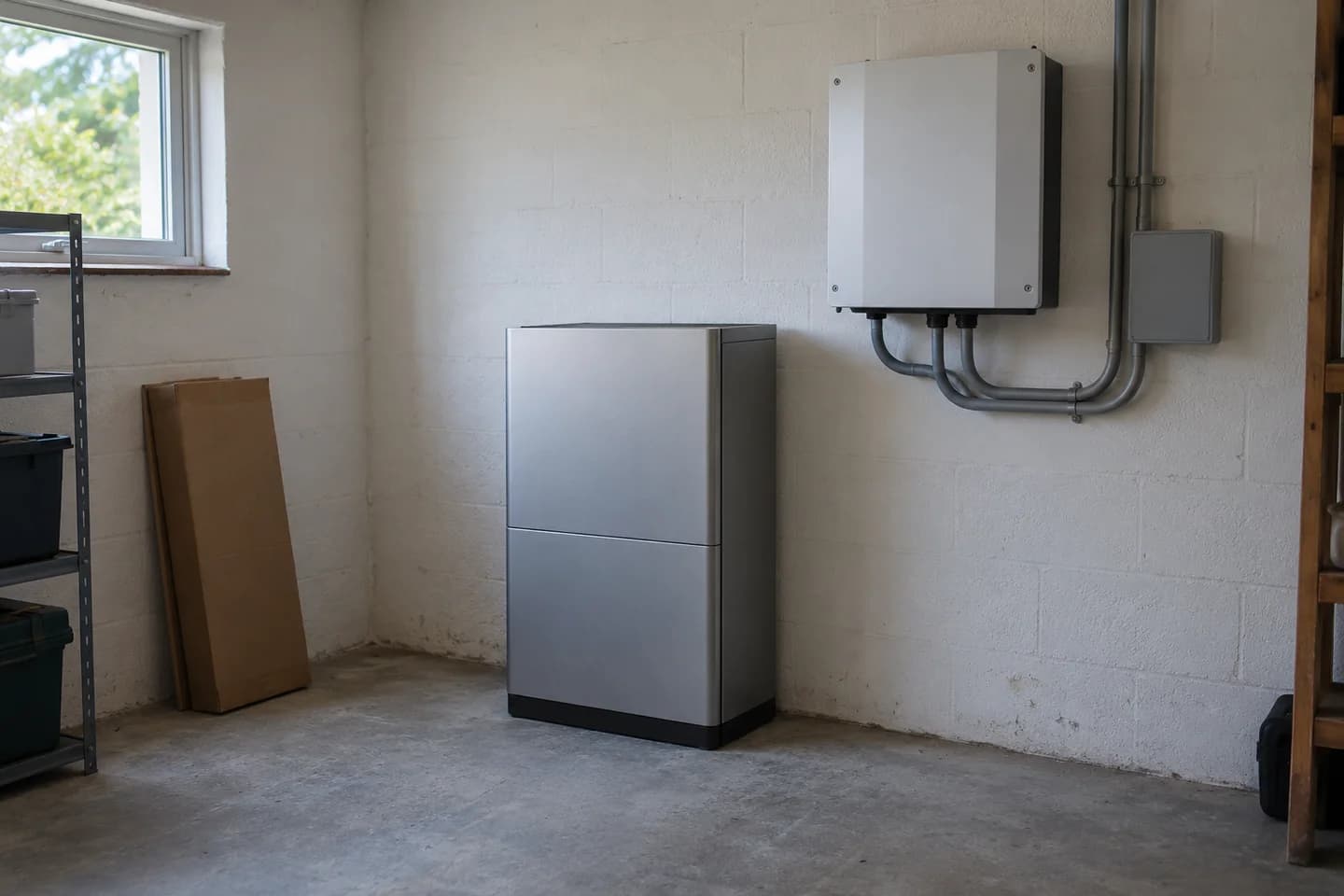
How to compare solar battery specifications before buying
Two batteries with the same kWh label can do different jobs. Here is how to read the numbers, check the missing details and compare like-for-like quotes.
Read Article→
Solar self-consumption and grid export: what equipment do you need?
For project buyers, installers and distributors: what to source as an equipment package, what to arrange locally, and what a useful supply quote should include.
Read Article→