Growatt monitoring and energy management procurement review
Growatt Monitoring Platform for Users and Installers
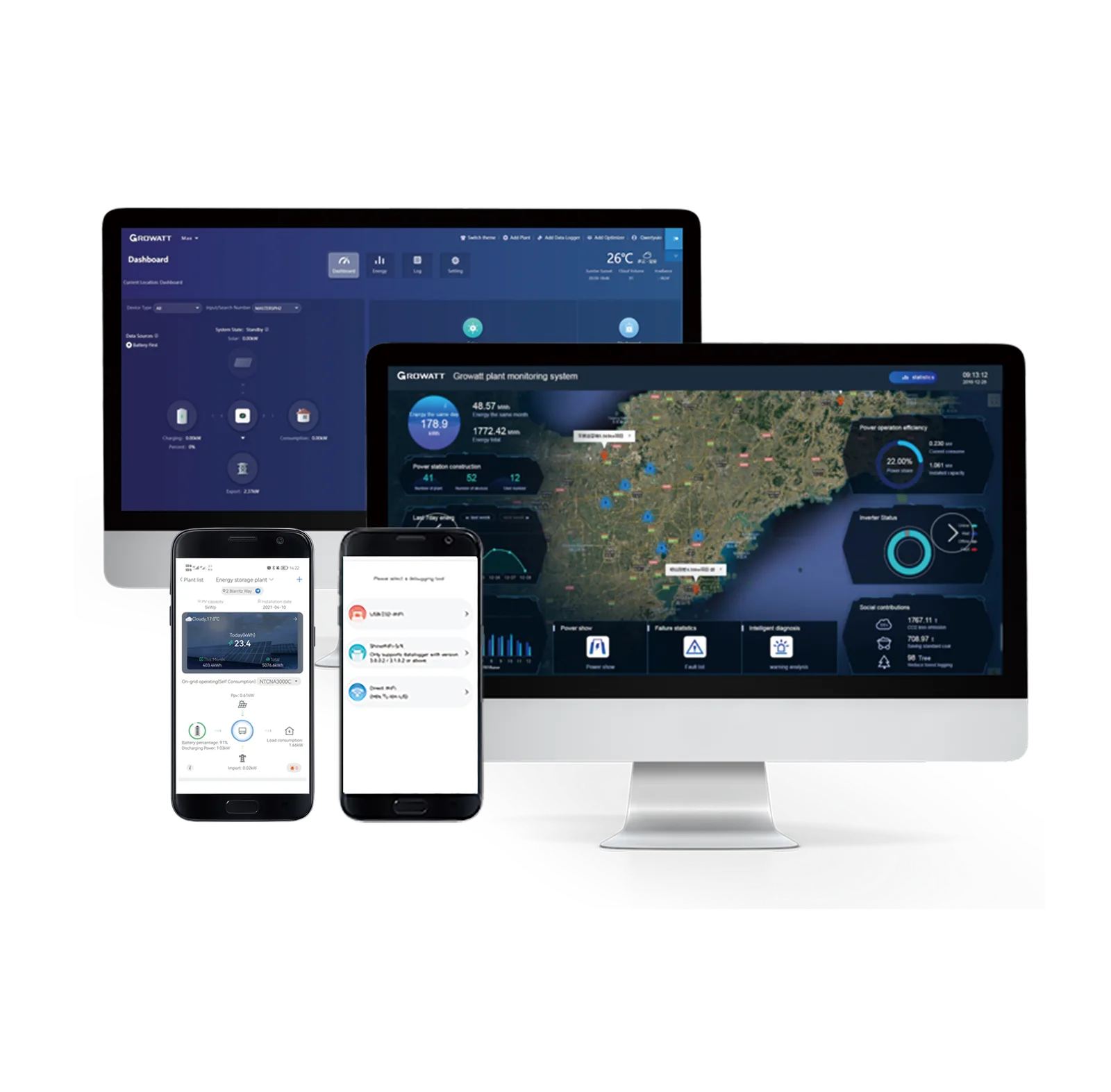
The current Growatt catalogue identifies the Growatt user, commissioning and O&M monitoring platform. Its public record presents user app/web monitoring, Wi-Fi setup, energy trends, installer O&M, local commissioning/firmware upgrades and online smart I-V curve diagnosis. The record provides feature text but no linked download, supported-device matrix, service-level schedule or embedded technical table. Confirm the exact model, connected equipment and destination design before quotation.
Current catalogue boundary: The record provides feature text but no linked download, supported-device matrix, service-level schedule or embedded technical table. Platform availability, supported devices/features, account region, remote permissions, data retention, cybersecurity, licensing and service continuity require current platform terms.
Current document status
Request the exact current datasheet and manual, model and accessory schedule, wiring/communication diagram, compatible-device or system matrix, firmware, destination certificates where applicable, commissioning guide, warranty, packing and included items.
Current product-record evidence
Keep the monitoring and energy management product and system boundaries explicit
The catalogue supports product discovery; the exact hardware, interfaces and destination design remain order controls.
Product identity
the Growatt user, commissioning and O&M monitoring platform
Published feature set
user app/web monitoring, Wi-Fi setup, energy trends, installer O&M, local commissioning/firmware upgrades and online smart I-V curve diagnosis
Connected-system scope
Platform availability, supported devices/features, account region, remote permissions, data retention, cybersecurity, licensing and service continuity require current platform terms.
Evidence limit
The record provides feature text but no linked download, supported-device matrix, service-level schedule or embedded technical table.
monitoring and energy management RFQ inputs
Six checks before fixing the model, accessories and project scope
Use the exact device, electrical interface, communications route and destination requirements.
Exact model and region
State the full model/suffix, hardware revision, quantity, country, electrical service and required local interface, listing or grid evidence.
Electrical interface
Define voltage/current, phase, CT or sensing route, breaker/protection, wiring, grounding and the exact controlled or monitored equipment.
Operating function
Define the required charging, backup, transfer, metering, export-control, monitoring, communications or storage function and all performance/fail-safe expectations.
Compatibility and accessories
Confirm meters, CTs, loggers, gateways, cables, antennas, transfer equipment, battery/inverter pairing, backend or other accessories by exact part number.
Network, firmware and ownership
Specify LAN/Wi-Fi/4G/RS485/LoRa/Modbus or app/backend needs, firmware, account/data ownership, remote-access policy, cybersecurity and loss-of-communications behavior.
Documents and commercial control
Request current files, model schedules, SLD/wiring, included BOM, commissioning steps, warranty, packing, lead time, spares and written substitution rules.
Compatibility, performance and evidence boundaries
Do not turn a feature bullet into universal compatibility or project approval
The exact model, connected devices, installation, firmware and destination rules remain controlling.
Family or platform is not one configuration
The record provides feature text but no linked download, supported-device matrix, service-level schedule or embedded technical table.
Connected-system design remains separate
Platform availability, supported devices/features, account region, remote permissions, data retention, cybersecurity, licensing and service continuity require current platform terms.
Compatibility requires exact interfaces
A brand, connector, voltage, chemistry, protocol or app label does not prove complete interoperability, available power, safe wiring, firmware support or warranty coverage.
Performance and compliance need conditions
Accuracy, transfer time, backup power, communication distance, device count, enclosure, charging power and safety claims require the exact model, environment, installation and current evidence.
Continue the monitoring and energy management review
Connect the device to the controlled system BOM
Use the solution and BOM guides to define interfaces, accessories, evidence and responsibilities before pricing.
Commercial solar and storage scope
Coordinate equipment, electrical interfaces, protection, controls, networking, site work and commissioning.
Review system scope →Solar BOM review guide
Freeze model, accessories, interfaces, documents, quantities and exclusions before comparing quotations.
Build the controlled BOM →Growatt Monitoring Platform for Users and Installers FAQ
Questions to close before quotation and technical approval
Every answer should reference the exact model, connected equipment and destination.
What does the current catalogue confirm?
It identifies the Growatt user, commissioning and O&M monitoring platform and presents user app/web monitoring, Wi-Fi setup, energy trends, installer O&M, local commissioning/firmware upgrades and online smart I-V curve diagnosis.
Is every detailed rating proven for this page?
No. The record provides feature text but no linked download, supported-device matrix, service-level schedule or embedded technical table.
Can compatibility be assumed from the product headline?
No. Platform availability, supported devices/features, account region, remote permissions, data retention, cybersecurity, licensing and service continuity require current platform terms.
What should the RFQ include?
Include exact model/revision, electrical interface, operating function, connected devices and accessories, network/firmware needs, destination files, quantity and acceptance requirements.
Prepare an exact Growatt Monitoring Platform for Users and Installers RFQ
Send the model, electrical and functional requirements, connected equipment, accessories, network/firmware, destination, files and quantity.
Start with the product, application or project information you have. We can help identify the remaining configuration, document or delivery questions before a final quotation.
Verify the Product Configuration